Disclosure: This post contains affiliate links. If you make a purchase through these links, we may earn a small commission at no additional cost to you.
Creating professional-grade voiceovers traditionally meant hiring expensive voice actors, renting studio equipment, and spending hours in post-production. Murf AI aims to simplify this entire workflow by allowing anyone to turn text into studio-quality speech within minutes.
Designed specifically for educators, marketers, corporate trainers, and podcasters, Murf AI claims to be an all-in-one voice studio. But is it worth subscribing to in 2026? In this comprehensive review, we examine its real-world performance, pricing tiers, and main limitations.
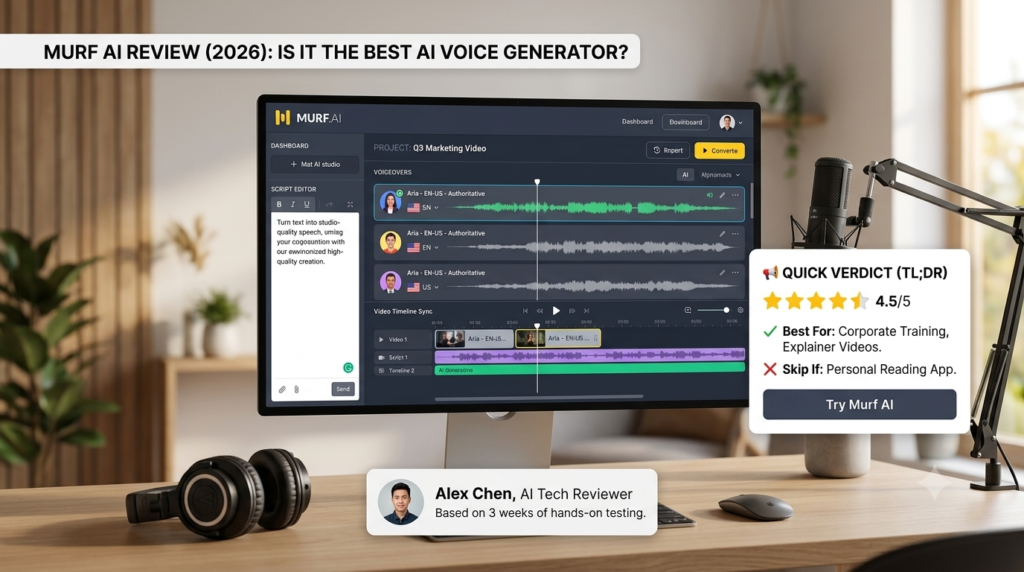
📢 Quick Verdict (TL;DR)
Is Murf AI Worth It? YES, particularly for e-learning creators, marketers, and teams needing professional voiceovers synced with video or presentation slides.
• Best For: Corporate training, explainer videos, PPT presentations
• Skip If: You just want a personal screen reader app for reading PDFs (use Speechify instead)
👉 [ Try Murf AI for Free Today → ]
What Is Murf AI?
Murf AI is a cloud-based AI voice generator that goes beyond simple Text-to-Speech (TTS). It provides a full studio workspace where you can combine text scripts, voiceovers, background music, and timing markers to align perfectly with your presentation slides or video footage.
Unlike consumer reading apps, Murf is built from the ground up for B2B content creation and commercial production.
Standout Features of Murf AI
1. Built-in Studio Workspace
The biggest advantage of Murf AI is its built-in video and audio editor. You can upload video clips or presentation slides and sync the AI voiceover word-by-word without using separate editing software like Premiere Pro.
2. Extensive Library of Realistic Voices
Murf provides over 120+ natural-sounding AI voices across 20+ languages and accents. You can filter voices by pitch, speed, and specific use cases (e.g., Authoritative for news, Energetic for ads, Gentle for bedtime stories).
3. Voice Changer (Audio-to-Audio)
Murf allows you to record your own raw home voice and transform it into a polished, professional AI voice while retaining your original timing and delivery style.
Murf AI Pricing & Plans (2026)
Murf offers tiered subscription plans based on annual voice generation hours and commercial rights.
| Plan | Price (Monthly) | Voice Generation | Key Features Included |
| Free Plan | $0/mo | 10 mins total | Try 120+ voices, no downloads or commercial rights |
| Creator | ~$19–$29/mo | 24 hours/year | Unlimited downloads, full commercial rights, 120+ voices |
| Business | ~$79–$99/mo | 96 hours/year | AI Voice Changer, team collaboration tools, priority support |
Note: Pricing plans, features, and promotion deals are subject to change by the provider. Please check the official website for live details.
Pros & Cons of Murf AI
🌟 Pros:
- All-in-One Editor: Syncing voiceovers with background music and images in the web app saves hours of work.
- Commercial Rights Included: Paid plans include full commercial use rights for YouTube, social ads, and online courses.
- High Security & Compliance: Enterprise-grade data protection makes it ideal for corporate clients.
⚠️ Cons (Things to Watch Out For):
- No Unlimited Downloads on Free Tier: The free trial only lets you preview audio; you cannot export the MP3 files without upgrading.
- Tied to Generation Time: Unused voice generation hours don’t always carry over indefinitely depending on your billing cycle.
Final Verdict: Should You Use Murf AI?
If you produce explainer videos, corporate e-learning modules, product demos, or podcasts, Murf AI is an outstanding investment that simplifies the voiceover production pipeline.
However, if your goal is solely high-emotion creative storytelling or simple PDF document reading, exploring ElevenLabs or Speechify may serve your specific workflow better.
👉 [ Check Live Deals on Murf AI Official Site → ]